Knowledge & AI
From a model to a tool you can use.
What belongs around a local AI installation.
By Jay Fan · · Deployment approach / reference design
A model that runs once is a technical milestone. A model that someone can return to, give a sensible input and reliably get an output from is a working tool. The useful part of deployment sits between those two moments.
The workflow
- Assess: Match the model to the task and hardware.
- Install: Pin the environment and model version.
- Operate: Save presets and make failures visible.
- Handover: Export, document and test a restart.
Choose a workload before a machine
The studio workbench covers four workloads: Qwen 3.8 27B for language and vision, Qwen Image 2.1 for images, MiniMax H3 for video, and ACE-Step 1.5 for music. These local setups have different GPU memory, storage and workflow needs. Installed model files and retained production records were checked on 27 September 2026. They do not establish a performance guarantee or an always-available service on another machine.
Use the music work as a concrete starting point
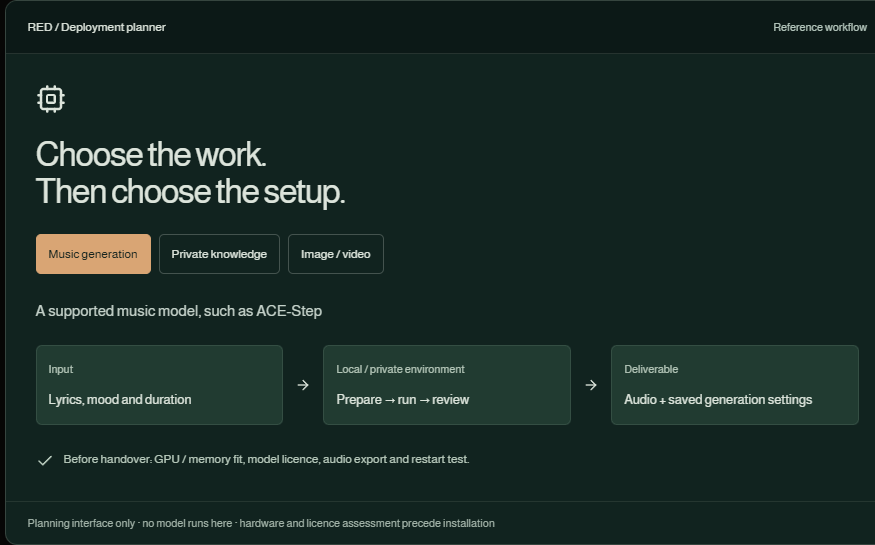
This portfolio includes locally generated music, with ACE-Step run records retained alongside the project. That experience supports a discussion about repeatable inputs, presets, exported audio and listening review. It does not establish a speed guarantee on another machine or permission for every commercial use of a model and its output.
Build a small operating surface
A useful interface gives a user a saved brief, explicit output settings, queued/running/failed states and a clear export location. Record the selected model and settings with each job. Do not display invented progress percentages or hide failed jobs behind a permanently spinning button. The planner below shows three possible scopes; it does not launch a model.
Test the second session
The handover test should restart the machine or service, run a known small example and locate the saved output. Also test a missing model file, insufficient memory and a cancelled job. Document how to update, roll back and remove the installation. For a paid pilot, agree on one workload and an observed hardware baseline first.
Scope one repeatable workload before promising a general local AI platform.
Scope & status
These are the studio’s local installations and saved outputs, not customer deployment evidence. This website does not run live inference. Hardware suitability and model/output permissions are assessed for each intended use.
The interactive examples are available with JavaScript enabled.
Discuss a project with JayKeep exploring
Knowledge & AI
An answer worth opening the source for.
Documents, ownership, retrieval and source links: the parts that make an internal knowledge base useful after the first demo.
Film & music
One picture. Three different feelings.
Switch between three existing music samples against the same moving image and hear how the perceived story changes.